Features
Email marketing and a real CRM, in one place.
Design beautiful campaigns, keep every contact organised, follow up on time and see what’s working, without stitching five tools together.
- Ready-made designs
- 188
- Colour variations
- 379
- Email + CRM
- 1 platform
- Users included
- 3
Email campaigns
Design emails you’re proud to send
Start from a finished design, change the words and photos, and send. The designer is built for busy people, not developers, and everything you make looks right on a phone.
Drag-and-drop blocks
Headings, text, images, buttons, dividers, spacers, two- and three-column rows, social links and video. No code needed.
Ready-made sections
Drop in finished pieces such as a hero photo, price and address, property stats, listing cards, an agent card or a call-to-action box.
One style for the whole email
Set the font, text and link colours, backgrounds and width once, and every block follows.
Personal touches
Add first names and other details with a fallback, like “Hi {{first_name|there}}”, so nobody sees a blank.
Desktop and mobile preview
See exactly how it looks on a phone before it goes out, with undo and redo as you work.
Test sends
Send yourself a test first and check it in your own inbox.
A checklist before you send
BumbleBlast flags leftover sample text and photos, a missing subject or sender, an empty audience and missing business details.
Send now or schedule
Pick a date, time and timezone. Cancel a scheduled campaign before it starts, or pause one part-way through.
Code when you want it
Prefer HTML? Edit the code directly, and fine-tune the plain-text version too.
Templates
188 designs, ready the moment you sign in
Professionally designed emails for listings, open houses, market updates, client care, holidays and more. 55 of them come in several colour styles, and your branding fills in automatically.
- Residential 54
- Commercial 16
- Rentals 14
- Prospecting 25
- Newsletters & Updates 32
- Client Care 12
- Events & Holidays 27
- Brokerage 5
- Basics 3
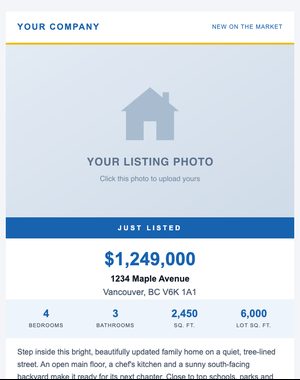
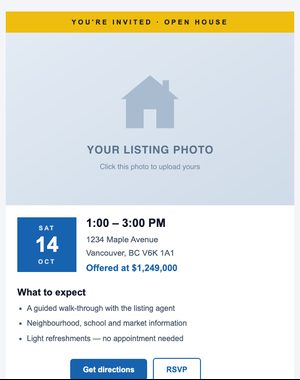
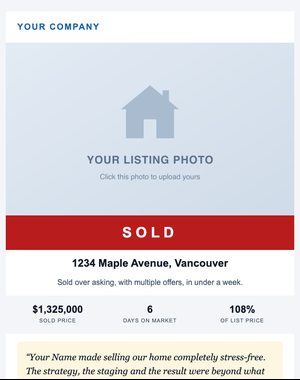
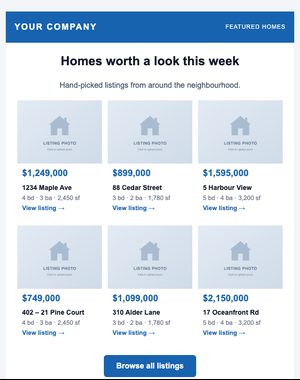
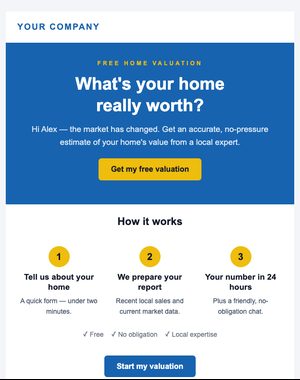
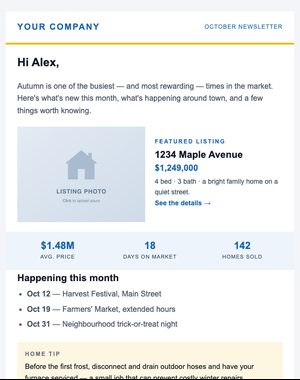
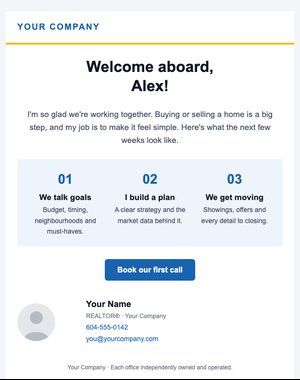
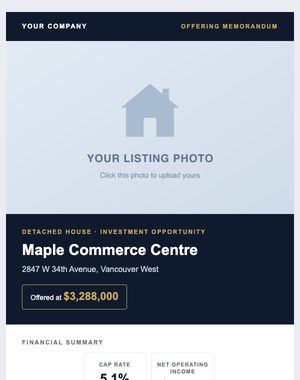
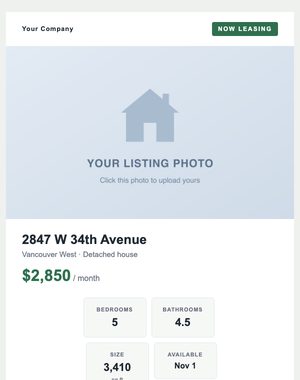

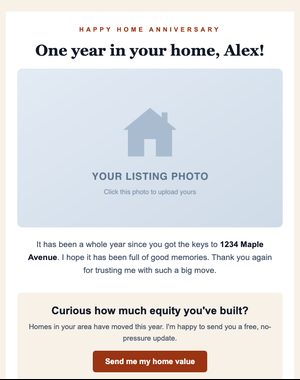
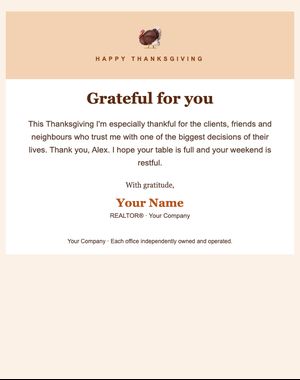
Your branding, on every design
Add your details once under My branding. Your name, title, company, phone, email, website, headshot, logo, brand colour and social links replace the sample content in every design you pick, with a live preview as you type.
- Save your own designs as reusable templates
- Switch a campaign to a different design at any time
- Search the gallery by occasion: “just sold”, “open house”, “holiday”
Audience
Every contact organised, reachable and respected
Bring your list in from anywhere, group it the way you think, and let BumbleBlast keep track of who agreed to hear from you and who shouldn’t be emailed again.
Import from a spreadsheet
Upload a CSV of up to 50,000 rows, match its columns, and existing contacts are updated instead of duplicated. Exports from other email tools work too.
Lists
Group people for a newsletter, an event or a client list, and send to one or several at once.
Tags
Label contacts by interest, source, neighbourhood or anything else you need.
Segments that update themselves
Combine rules with AND or OR on name, company, city, province or state, country, source, date added, list, tag, contact type and pipeline stage.
Consent records
Record how each person agreed to hear from you, including express consent and the implied consent rules of Canada’s anti-spam law.
Automatic suppression
People who unsubscribe, bounce or mark you as spam are never emailed again, across every campaign.
Search, filter and export
Find anyone in seconds by name, email, phone, company or city, and export any filtered view to CSV.
Fair, active-contact billing
Only subscribed contacts count toward your plan. Unsubscribed, bounced, archived and CRM-only contacts don’t.
Built-in CRM
A CRM built in, not bolted on
Your emails and your follow-ups share the same contacts. See who opened the listing email, call them, log the call and set the next task, all from one screen.
A timeline for every contact
Emails, opens, clicks, notes, calls, meetings and tasks in one place, newest first.
Pipeline board
Drag people between stages you define, from new lead to past client, or move dozens at once.
Tasks and reminders
Due dates, priorities and reminders, with overdue, due-today and next-7-days views.
Calendar
Month, week, day and agenda views, with a team view so everyone’s schedule is in one place.
Log activity in seconds
Record calls, meetings, showings, texts and emails with an outcome and notes.
Engagement score
Hot, warm or cold at a glance, based on the last 90 days of opens, clicks and activity.
Buyer and seller preferences
Budget, areas, property type, bedrooms, timeline and pre-approval for buyers; value, timeline and motivation for sellers.
Relationships and owners
Link spouses, lawyers, mortgage brokers and referrers, and assign every contact to a team member.
Email one person
Write to a single contact straight from their profile, and it lands on their timeline.
See your activities in Apple Calendar, Google Calendar or Outlook through a private calendar link. Two-way Google and Outlook sync is on the way.
Automations
Follow-ups that send themselves
Set up a welcome series or a nurture sequence once. Every new person who qualifies gets the right email at the right time, and the sequence steps aside the moment they do what you hoped.
- When someone is tagged “Buyer”Starts the sequence
- Email 1: WelcomeSent right away
- 3 days later
- Email 2: Neighbourhood guide“Your guide to Kitsilano”
- 7 days later
- Email 3: Ready to see homes?“Book a showing”
- Stops earlywhen they click the “Book a showing” link
Three ways to start
When someone is tagged, when they’re added to a list, or when a new contact is added.
Multi-email sequences
As many emails as you need, each sent a set number of days after the one before.
Smart exits
Stop the sequence when someone clicks a chosen link. Unsubscribing or bouncing always stops it.
Never twice
Each person is enrolled once and gets each email once, in order, even if you pause and resume.
Start with who you have
Switching it on? Choose to enrol everyone who already qualifies, or only new people.
Results for each email
Sent, opened and clicked for every step, so you can see where people engage.
Analytics
See what’s working, at a glance
Clear results for every campaign and for your whole program, with no spreadsheet required. Learn what your audience responds to and do more of it.
A snapshot that matters
Sends, open rate, click rate, unsubscribes and bounces for the last 7, 30 or 90 days, compared with the period before.
A report for every campaign
Delivered, opened, clicked, unsubscribed, bounced and spam reports, all in one place.
The first 24 hours
An hour-by-hour chart of when people opened and clicked.
Link performance
Which links were clicked, and by how many people.
Who did what
Filter recipients by what they did and export the list to CSV.
Honest numbers
People, not repeat opens, and clicks from email security scanners are left out.
Audience growth
New subscribers, unsubscribes and net growth over time.
Deliverability health
Your bounce and complaint rates over the last 30 days, measured against safe limits.
Deliverability & compliance
Built for email people actually want
Good email respects the people receiving it. These protections are part of every account, not an upgrade.
Built on Amazon SES
Campaigns go out through Amazon Simple Email Service (Amazon SES), Amazon’s large-scale email sending infrastructure.
Your own domain
Send from your business domain, authenticated with SPF, DKIM and DMARC. Our team sets it up with you.
Compliance footer, every time
Your business name, mailing address and licence details, plus an unsubscribe link, are added to every email automatically.
One-click unsubscribe
Supports the one-click unsubscribe Gmail and Yahoo ask bulk senders for, with an optional reason.
Consent on record
How and when each contact agreed is stored with the contact, ready if you’re ever asked.
Suppression built in
Unsubscribes, bounces and spam reports stay off every future send, automatically.
An automatic safety pause
If bounces or spam reports climb above safe limits, sending pauses until we review it with you, protecting your reputation.
Bought lists not allowed
Every import confirms the contacts agreed to hear from you and the list wasn’t bought or scraped.
Jane Doe (Licence #000000) · Your Business · 123 Main Street, Vancouver BC · yourbusiness.com
Unsubscribe
Team & security
Room for your whole team
Work together on one account, with the right access for each person and everyone’s own branding.
3 users included
Every paid plan includes 3 users. Add more for $5/month each.
Admin and standard roles
Anyone can build campaigns and work the CRM. Admins manage users, senders, compliance and billing, and give the final go-ahead to send.
Branding for each person
Every user’s name, title, photo, logo, colour and social links fill into the designs they pick.
Several senders
Each sender has their own name, reply-to address, title, licence number and phone for the footer.
Secure sign-in
Protected sign-in, optional “keep me signed in” for 30 days, secure password resets and a record of important activity.
Your data stays yours
Each organisation’s contacts, campaigns and CRM records are kept separate from every other organisation’s.
Light and dark mode
Work the way your eyes prefer, on desktop, tablet or phone.
On the way
What we’re building next
These aren’t available yet. We’ll add them to this page when they are.
A/B testing In development
Try two subject lines on part of your list and send the winner to the rest.
Signup forms and landing pages In development
Collect new subscribers on your website, with consent recorded automatically.
Two-way Google Calendar and Outlook sync In development
Activities move both ways. Until then, the private calendar link works with Apple, Google and Outlook.
Everything above, on every plan
No feature tiers: your price depends only on your active contacts, from $25/month. Start a 10-day free trial with up to 100 contacts and 250 email sends.